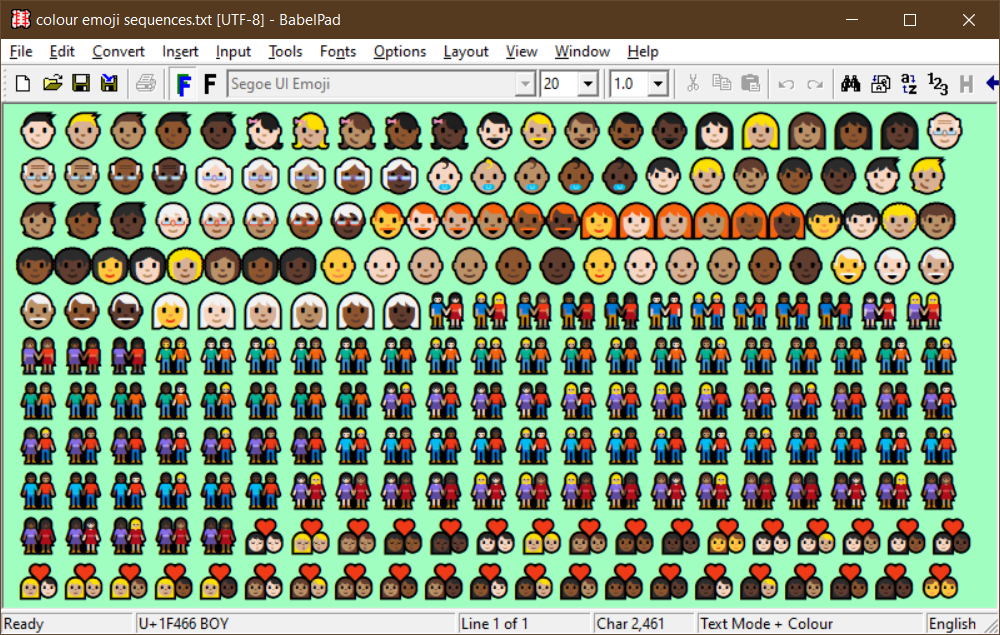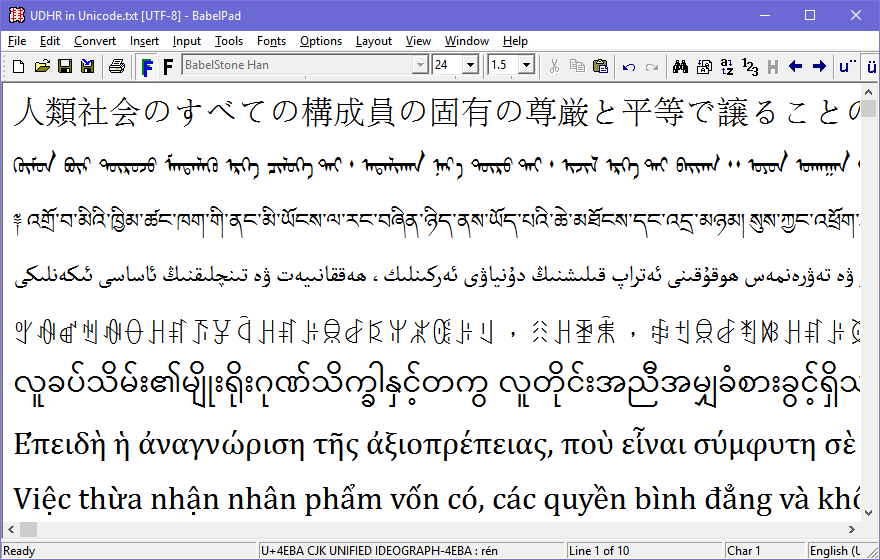
BabelPad is a Unicode text editor for Windows that supports the proper rendering of most complex scripts, and allows you to assign different fonts to different scripts in order to facilitate multi-script text editing.
BabelPad is free and fully functional, with no disabled features or time restrictions.
Please note that BabelPad is provided "as is", with no warranty as to its fitness or suitablility for use as a Unicode text editor or for any other purpose.
If you have any comments, queries, bug reports or feature requests, please do not hesitate to contact me.
Whilst BabelPad is free, if you do use it for commercial purposes, please consider making a small donation (£10.00 or equivalent suggested) by means of PayPal to help support its continued development :
Download
BabelPad Version 1.10.2 (Unicode 5.0.0) [2008-03-18]
NB A new version of BabelPad supporting Unicode 5.1 will be released by the end of April.
User Notes
Windows XP Build
- All characters beyond the Basic Multilingual Plane (i.e. all characters in the range U+10000 through U+10FFFF) may be displayed as two "not defined" glyphs in the edit buffer of the Character Map utility, even though they are displayed correctly in the character grid. If this is the case on your system, please ensure that you have enabled Uniscribe for complex scripts by checking "Install support for complex scripts and right-to-left languages..." on the Languages tab of the Regional and Language Options of the Control Panel.
- If you have multiple Input Locales and Keyboard Layouts or IMEs, when you select a new Input Locale and/or Keyboard Layout from the Language Bar on the task bar (or by pressing a predefined "hot key"), the new Input Locale and/or Keyboard Layout should be be immediately shown in BabelPad's dropdown list of Input Locales on the Input Toolbar. If, however, you are running under Windows XP and you have enabled advanced text services for all programs, BabelPad may not receive the input language change notification, and may continue to use the old input locale after it has been changed on the task bar. If this happens, you should open Control Panel : Regional & Language Options, select the "Languages" tab, press the "Details..." button, select the "Advanced" tab, and ensure that the "Extend support of advanced text services to all programs" option under "Compatibility Configuration" is unchecked.
Windows 95/98/ME Build
The build of BabelPad for Windows 95/98/ME is not as feature-complete as the build for Windows NT4/2000/XP. The following limitations will be experienced when running the Windows 95/98/ME build of BabelPad (note that some problems only manifest themselves when actually running on Windows 95, 98 or ME) :
- The Replace function is disabled.
- The Find function only supports ASCII text.
- The edit boxes in the Character Map, CJK Radical, Pinyin and Yi Radical dialogue boxes are not user-editable (in fact they are buttons that just look like edit boxes).
- When running under Windows 95/98/ME, using the AltGr (or Ctrl+Alt) key to enter Latin text whilst in Tibetan, Mongolian, Manchu or Yi Input Mode does not work.
BabelPad Limitations
- Horizontal scroll is fixed width, and so some extremely long lines may be truncated when not in Line Wrap mode.
- When in Line Wrap mode, it is not possible to scroll into view the trailing part of a line that is so long that it does not completely fit onto the screen.
- The Unicode Bidirectional algorithm has not yet been implemented, and so complex bidirectional text may not be displayed as expected. However, simple bidirectional text (e.g. a Hebrew phrase embedded in English text) should display correctly.
- Line breaking behaviour may not exactly conform to the Line Breaking Properties specified by Unicode, although it should be fairly close. It is intended to bring BabelPad fully into line with the recommended line breaking behaviour at a future date.
- Find and Replace functionality is very basic, and there is a 127 character limit to find and replace strings. It is intended to implement sophisticated Find/Replace functions with some support for regular expressions in a future version of BabelPad.
- In the "Document Analysis" utility the "Word Count" value is only accurate for scripts that explictly delimit word boundaries (e.g. Latin and Tibetan). For syllabic scripts such as CJK and Yi the Word Count value will not be useful.
BabelPad Tips
- When making global changes to a huge (multi-megabyte) document, first disable Undo/Redo (Options : Edit Options from the menu). This will greatly improve the speed of Replace operations.
- If you want to convert a large file with a high proportion of characters above U+007F to UCN (\uABCD) format, NCR (ꯍ or Ӓ) format or HTML entity (&entity;) format, then Save As and select "ASCII plus ..." from the encoding dropdown list (and then reopen the file if necessary). This takes a fraction of the time compared with selecting the entire document and using the appropriate function from the Convert menu.
- If you want to convert a large file with a high proportion of UCN (\uABCD) or NCR (ꯍ or Ӓ) entities to Unicode characters, then check the Convert NCRs and/or the Convert UCNs checkbox when opening the file. This takes a fraction of the time compared with selecting the entire document and using the appropriate function from the Convert menu after the file has been opened.
- To enter a single Unicode character by hexadecimal codepoint value, press Ctrl-Q and enter the codepoint value followed by Enter or Space.
- To enter a sequence of Unicode characters by hexadecimal codepoint values, select the Unicode Input Mode (Input : Unicode from the menu or "U+" from the Input toolbar), and type in the codepoint values separated by spaces. Press Ctrl-D to return to the default input mode.
- When entering Tibetan, Mongolian, Manchu or Yi text using BabelPad's custom input methods for these scripts or entering Unicode text as scalar values using BabelPad's Unicode input method, you may access the keyboard normally by using the AltGr key (or Ctrl + Alt if your keyboard does not have an AltGr key). For example, when using BabelPad's Tibetan Input Method, pressing the numeral keys will enter Tibetan digits, but holding down the AltGr key at the same time as pressing the numeral keys will allow Arabic digits to be entered instead.
- If you are working with GB2312-encoded documents open and save your files as GB18030 (GB18030 is a superset of GB2312 that has a one-to-one mapping to Unicode).
Uniscribe Issues
BabelPad uses Microsoft's Unicode Script processor, Uniscribe (filename usp10.dll), to format and render Unicode text. The more recent a version of Uniscribe you have installed on the computer the better support you will have for complex scripts such as Indic and south-east Asian scripts, Tibetan and Mongolian. The version of Uniscribe that BabelPad is using is indicated in the About BabelPad... dialogue box.
Uniscribe should come pre-installed on Windows 2000 and Windows XP, and should also have been installed if you are running Internet Explorer Version 5 or above on other Windows operating systems. However Uniscribe may not be available on some PCs running Windows 95, 98, ME or NT 4.0 that do not have Internet Explorer 5 or above. If when you attempt to run BabelPad, a dialog box entitled "Unable to Locate DLL" with the message "The dynamic link library USP10.dll could not be found in the specified path" appears, this means that Uniscribe is not installed on your PC.
Uniscribe is constantly being updated to support new scripts and to add new functionality to existing script support, so it is important that you have the latest possible version of Uniscribe installed on your PC. Even if you do not use complex scripts, you will only get advanced features for Latin script such as ligatures with a recent version of Uniscribe (to see this try entering <s ZWJ t> with Code2000). You may run BabelPad with a particular version of Uniscribe by simply placing a copy of the Uniscribe file (usp10.dll) in the same directory that BabelPad.exe is located. Note that the latest beta version of Uniscribe is available to members of the Microsoft VOLT Users Community.
Some versions of Uniscribe may have bugs that may cause BabelPad to crash. Those that I know of are outlined below :
- Versions of Uniscribe greater than Version 1.405.2416.1 may only work correctly when running under the Windows XP operating system. The following unexpected display behaviour may be observed in BabelPad's character map utility when running under Windows 95/98/ME, Windows NT4 or Windows 2000 with a version of Uniscribe that is greater than Version 1.405.2416.1 :
- Strange characters displayed in the range U+0000 through U+001F of the Basic Latin block
- Strange characters displayed in the range U+0080 through U+009F of the Latin-1 Supplement block
- Only digits displayed for Indic scripts (including Tibetan and Mongolian) if the selected font does not have OpenType tables defined for the particular script
- Version 1.453.3665.0 has a bug that may cause any application that relies on it to crash if an attempt is made to display any character in the Lao script range.
- Version 1.460.3707.0 has a bug that may cause any application that relies on it to crash if an attempt is made to display a sequence of 16 or more consecutive Tibetan letters without a break (i.e. a space, tsheg or shad).
- Some early versions of Uniscribe may crash when an attempt is made to display Arabic text with the "Arial Unicode MS" font.
- Early versions of Uniscribe have a bug that causes it to return to BabelPad the wrong character position and screen point of Unicode characters outside of the Basic Multilingual Plane when in Right-To-Left (RTL) mode. This means that you may be unable to click on or select text composed of characters from Unicode Planes 1-16 when in RTL layout mode.
BabelMap
BabelStone Home Page